Keep the words editable.
Write naturally, set a line length that fits your destination text frame, and copy prepared Persian text without giving up editability.

 ViraChin
Offline · Private · macOS and Windows
ViraChin prepares editable Persian text for applications with incomplete right-to-left support, and creates transparent title artwork using fonts already on your computer.
ویراچین متن فارسی را برای نرمافزارهای طراحی آماده میکند؛ بدون اینترنت، بدون حساب کاربری و بدون فرستادن متن شما به جایی.
Mac App Store 1.0.0 available · Version 1.0.1 in review · Windows beta 0.2.2
A small utility with one clear job
Paste ordinary Persian text exactly as you would write it anywhere else.
Choose editable compatibility text or transparent title artwork. Nothing leaves your computer.
Copy the result into your design application or export transparent PNG artwork for use anywhere.
See the workflow unfold
Write naturally, set a line length that fits your destination text frame, and copy prepared Persian text without giving up editability.
Switch modes to build transparent title artwork with your own fonts, then adjust individual words and letters with precise controls.
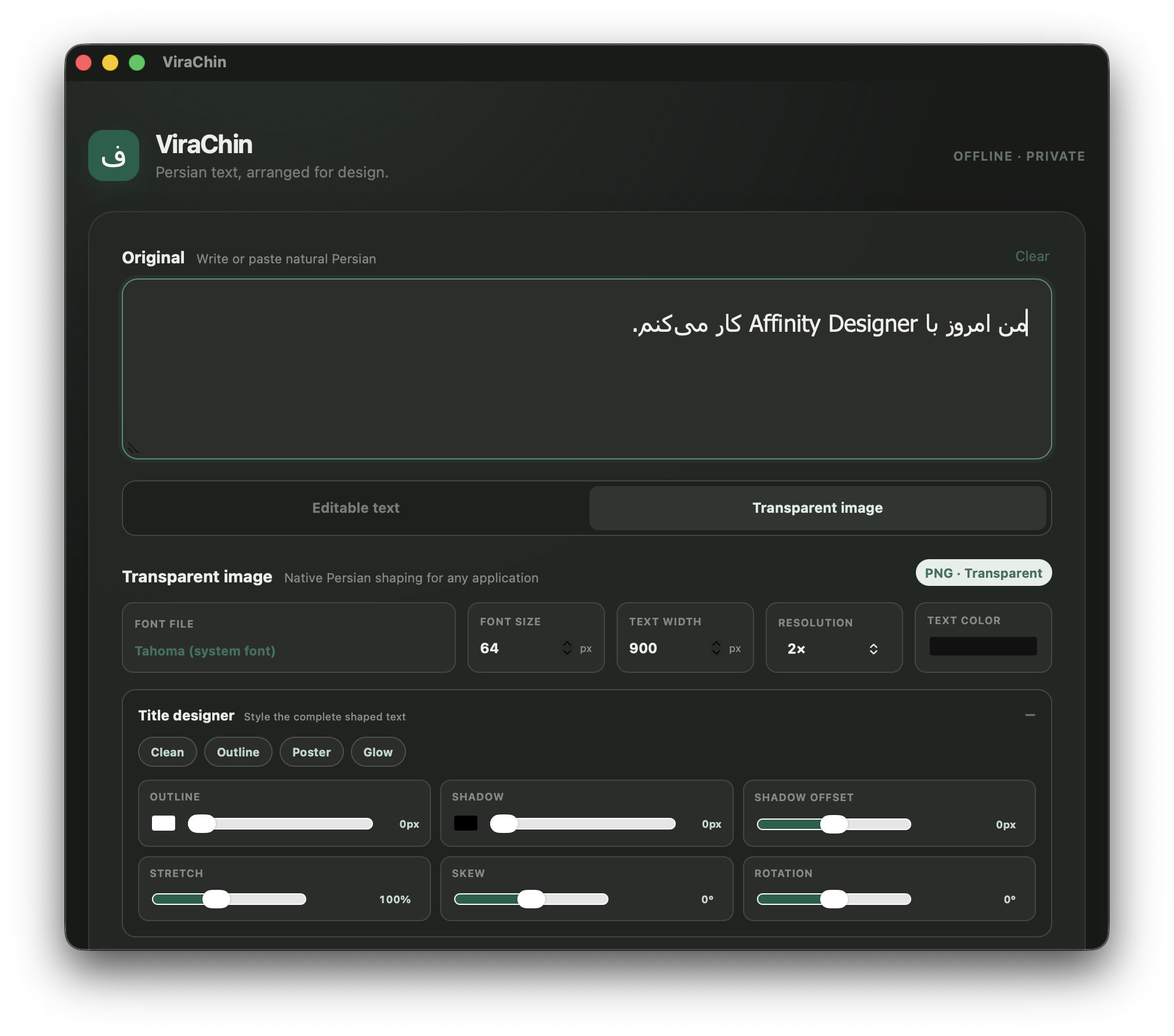
Two focused modes
01
Prepare Persian text for left-to-right renderers while preserving meaningful Unicode details such as ZWNJ.
02
Use any local TTF or OTF font to create distinctive Persian titles with a transparent background.
Designed to stay out of the way
Install ViraChin
The Mac App Store edition is signed, sandboxed, and distributed by Apple. Version 1.0.0 is available now, and version 1.0.1 has been submitted for review.
For Mac, install from the App Store—no “Open Anyway” step is required. The separate Windows beta remains at version 0.2.2. An older macOS 0.2.2 DMG is retained only as an archived beta and may show an unverified-developer warning.
Read the installation guide →
ویراچین در یک نگاه